Noota Webhook Documentation
Noota supports webhooks for pushing event data to your server whenever a record is completed.
Configuring Webhook Endpoint
To set up a webhook endpoint, use the Noota Dashboard. Navigate to Webhook Settings to configure an endpoint where you will receive event data. Then click on "Add Endpoint", enter your endpoint link and validate

Then subscribe for the record.completed event

Then click Create
Your webhook should be sending soon !
Webhook Data Format
When a webhook is triggered, Noota will send a POST request to your configured endpoint containing event data in JSON format.
Example Webhook Payload
Below is an example payload that the webhook will send:
{
    "id": "12345-abcde",
    "created_at": 1698777600,
    "participants": [
        {
            "email": "[email protected]",
            "name": "John Doe",
            "phone": "+1234567890"
        },
        {
            "email": "[email protected]",
            "name": "Jane Smith",
            "phone": "+1987654321"
        },
        {
            "email": null,
            "name": "Guest User",
            "phone": null
        }
    ],
    "duration": 3600,
    "title": "Team Meeting",
    "owner": {
        "email": "[email protected]"
    },
    "metadata":{
      "language" : "fr-FR", // Language of the meeting
      "meeting_url": "meeting_url", // If available
      "meeting_type": "meeting_type" // If available
    }
}
Key Fields in the Payload
id: Unique identifier for the record. This ID can be used to retrieve transcripts and reports through Noota's transcript and report endpoints.created_at: Unix timestamp representing when the record was created.participants: A list of participants in the event. Each participant has the following properties:email: The participant's email address (nullable).name: The participant's name.phone: The participant's phone number (nullable).
duration: Duration of the event in seconds.title: Title of the event.owner: Information about the record owner. Includes:email: The owner's email address.
metadata: Additional information about the meetingmeeting_url: Url of the meeting.
Additional Notes
The id field in the webhook payload can be used to call the transcript and report endpoints, allowing you to retrieve all relevant data for the record in real time.
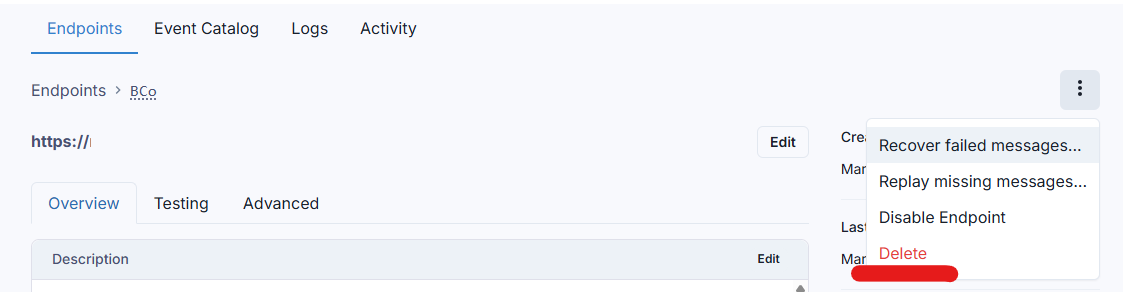
Delete a Webhook
You can delete a Webhook and create a new one as needed :